
Clients and CRM
Every client, the whole picture.
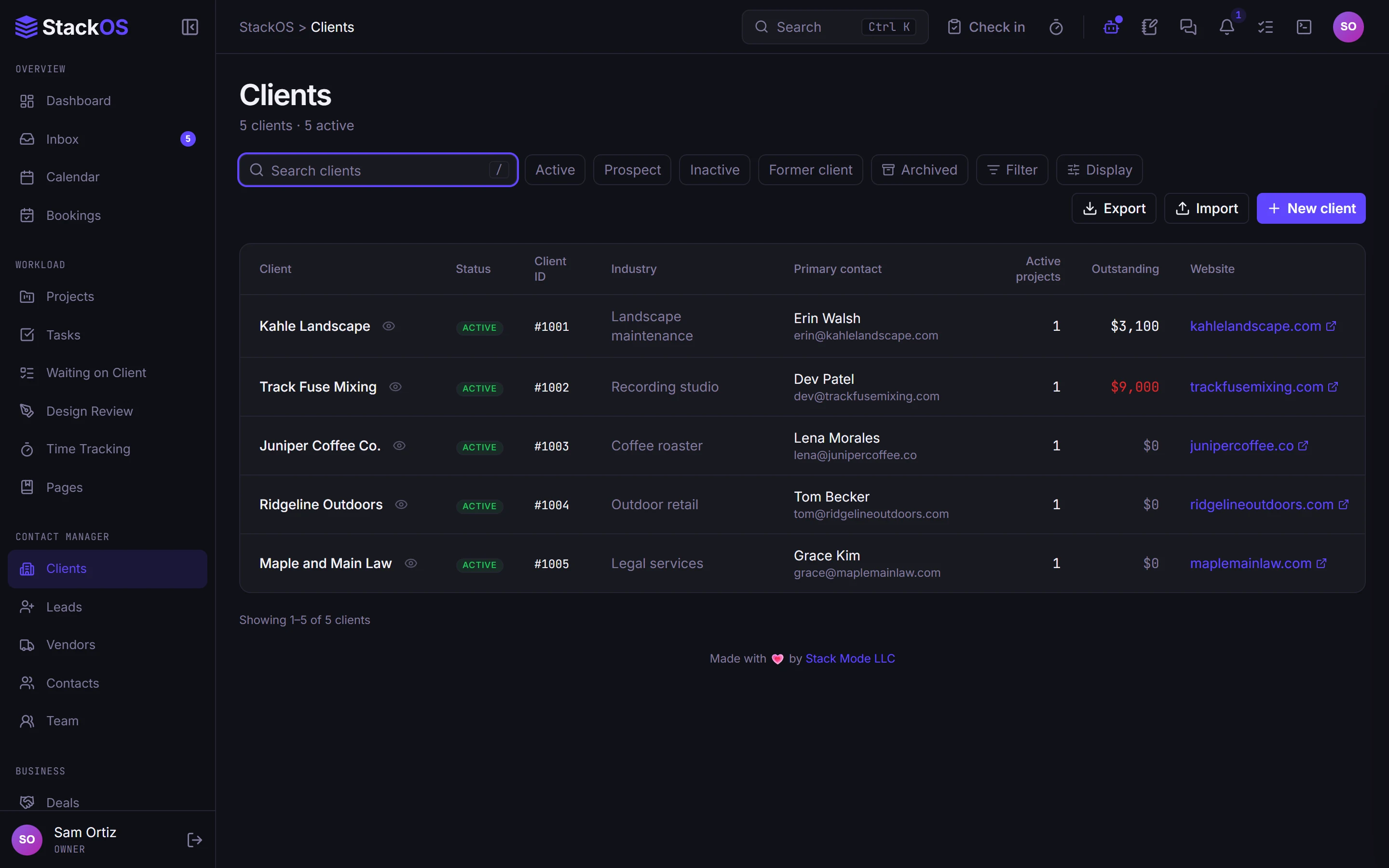
Leads, deals, and contacts in one pipeline, and one record per client that shows the deal, the signed proposal, the project, what they owe, their logins, and whether their website is healthy.
The problem
When a client calls, the answer is in six tabs.
The deal is in the CRM, the signed proposal in a PDF tool, the project in another app, the invoice in your accounting, the passwords in a notes file, and the site status in a monitoring dashboard. Nobody has the whole picture, and things fall through the gaps.
01Client records
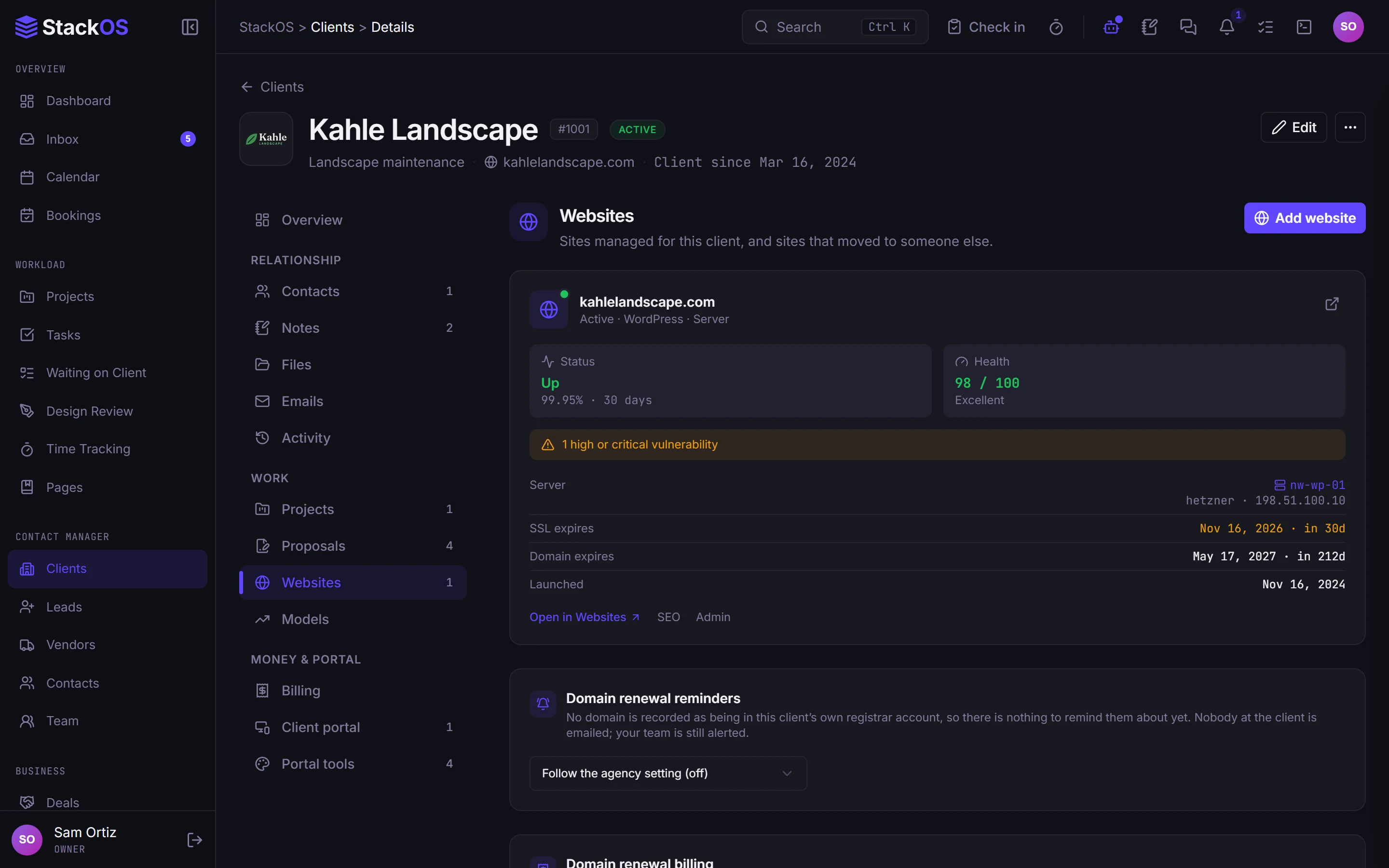
One record for the client and their website
Open a client and see their contacts, projects, billing, files, emails, notes, logins, and website health together. The website card shows uptime, SSL, and renewal dates beside the account.
- Client records
- Contacts and vendors
- Shared notes
02Leads
A pipeline you can actually read
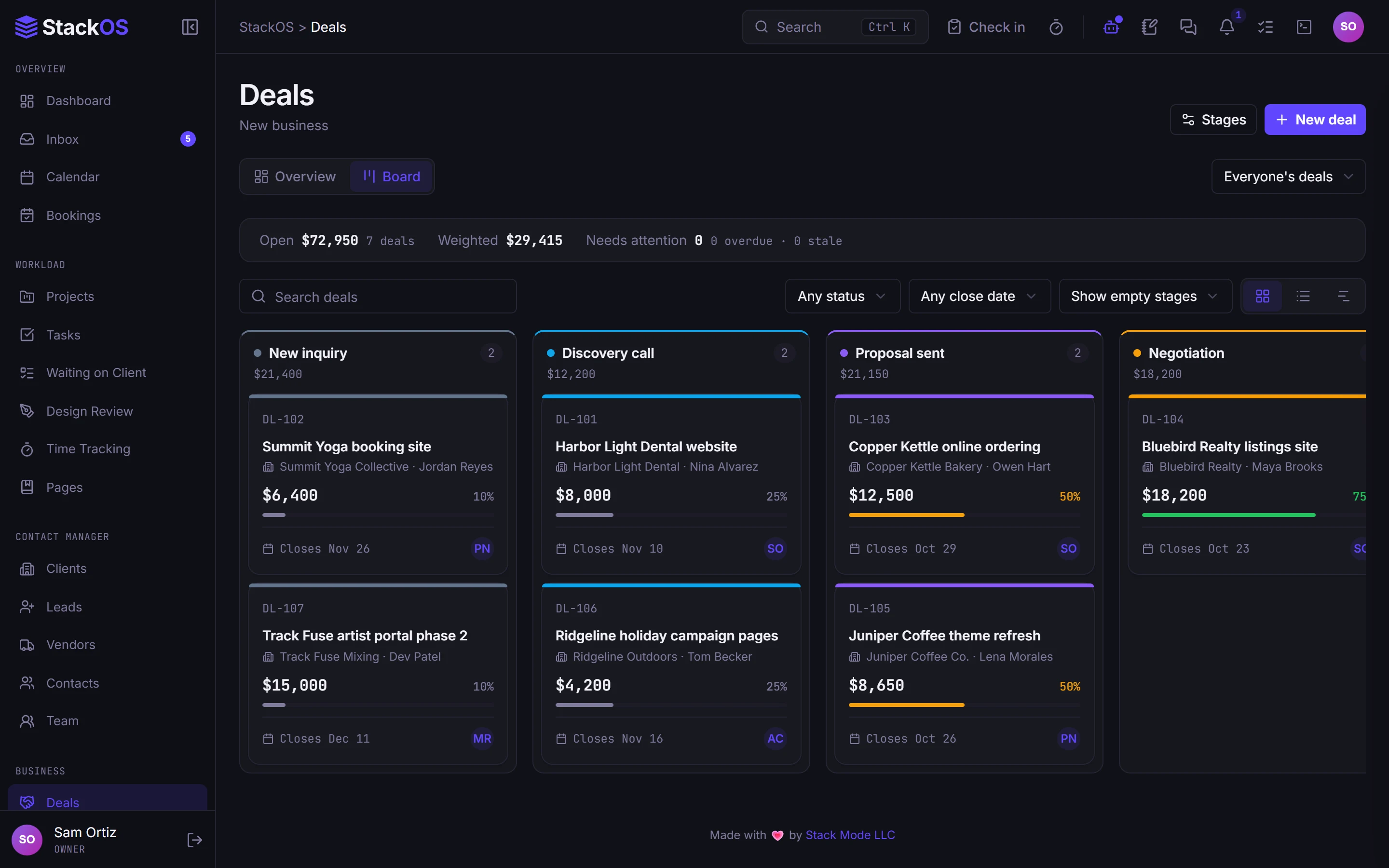
Track leads by stage and source, then work deals on a board, a table, or a timeline with pipeline analytics. A won deal turns into an estimate or a project in one step.
- Leads
- Deals
03Shared notes
Notes that link the whole studio
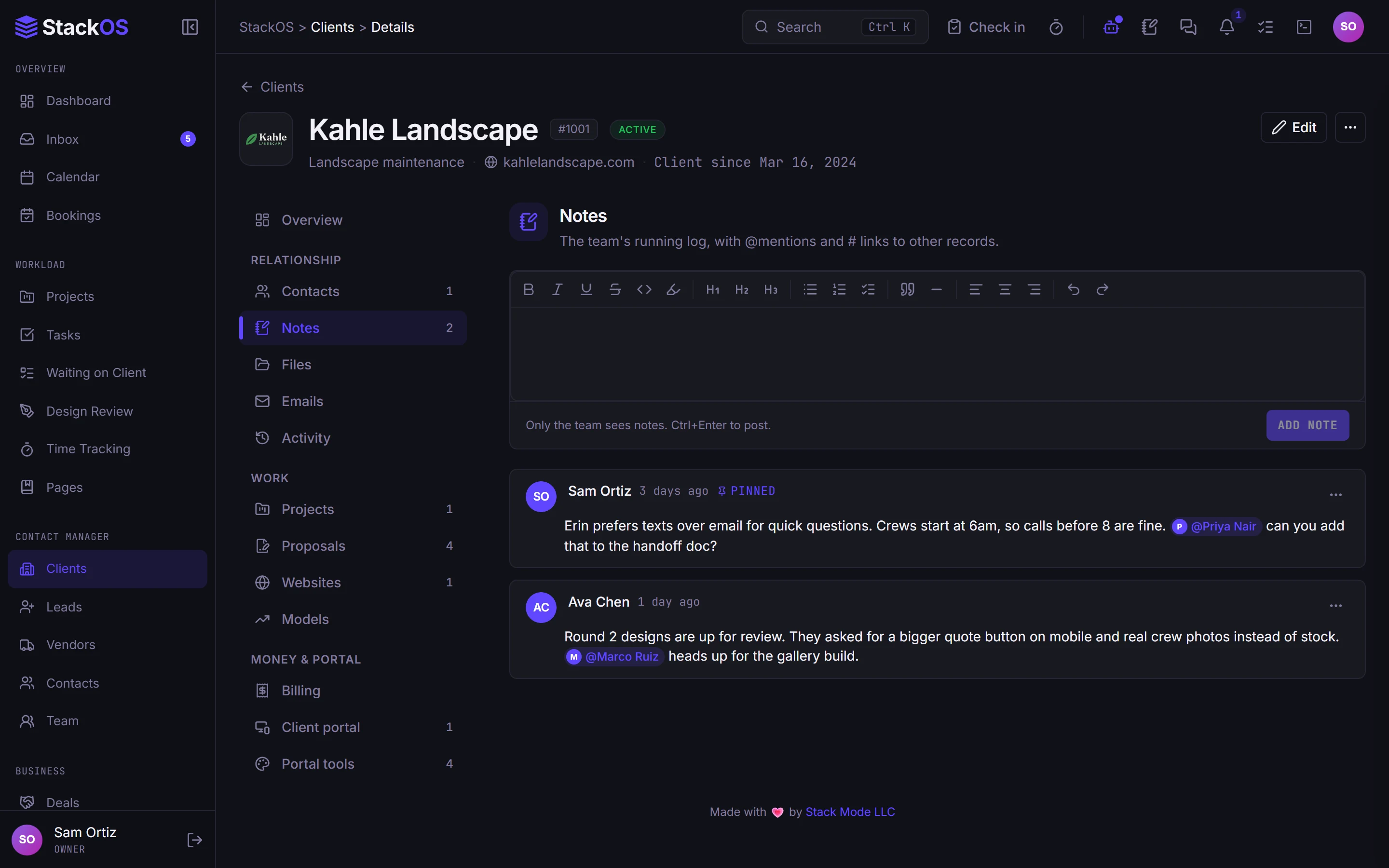
Shared notes on clients, leads, vendors, and projects, with mentions for teammates and links to other records, so context lives where the next person will look.
- Shared notes
- Contacts and vendors
What's included
Everything in Clients.
Included on every plan, with nothing to add on.
Client records
Contacts, projects, billing, files, emails, and history on one record per client.
Leads
A lead pipeline with stages and sources that converts to a client in one step.
Deals
Board, table, and timeline views of your pipeline, and what it is worth.
Contacts and vendors
A people directory plus the vendors you pay and what they cost.
Shared notes
Notes on clients, leads, and projects with mentions and links to other records.
Works with the rest of StackOS
The client record is the center of StackOS.
Proposals, projects, invoices, the vault, the portal, and every website you look after hang off the same client, so a change in one place shows up everywhere.
A fair question
“Can it be a good CRM if it does everything else too?”
Judge it on your own clients. StackOS is a CRM for web studios, not for every kind of sales team: leads, deals, contacts, and notes, joined to the work and the money. If you run a large outbound sales team, a dedicated sales CRM will serve you better.
Frequently asked questions
Can I import my existing clients and contacts?
Does a lead become a client automatically?
Can several people work the same client?
Run your whole web studio in one place.
Start with one client. See the difference in a week.
25 web studios. Free during the beta.