
Projects and tasks
Projects that keep moving, and clients who keep up.
Projects with templates and phases, tasks on a board or a table, time tracking, and the client-facing pieces most project tools leave out: requests, design review, and video updates.
The problem
You spend more time managing projects than building them.
Tasks live in one tool, files in another, feedback in email, and the client's content arrives late with no reminder. You chase people instead of shipping the site.
01Projects
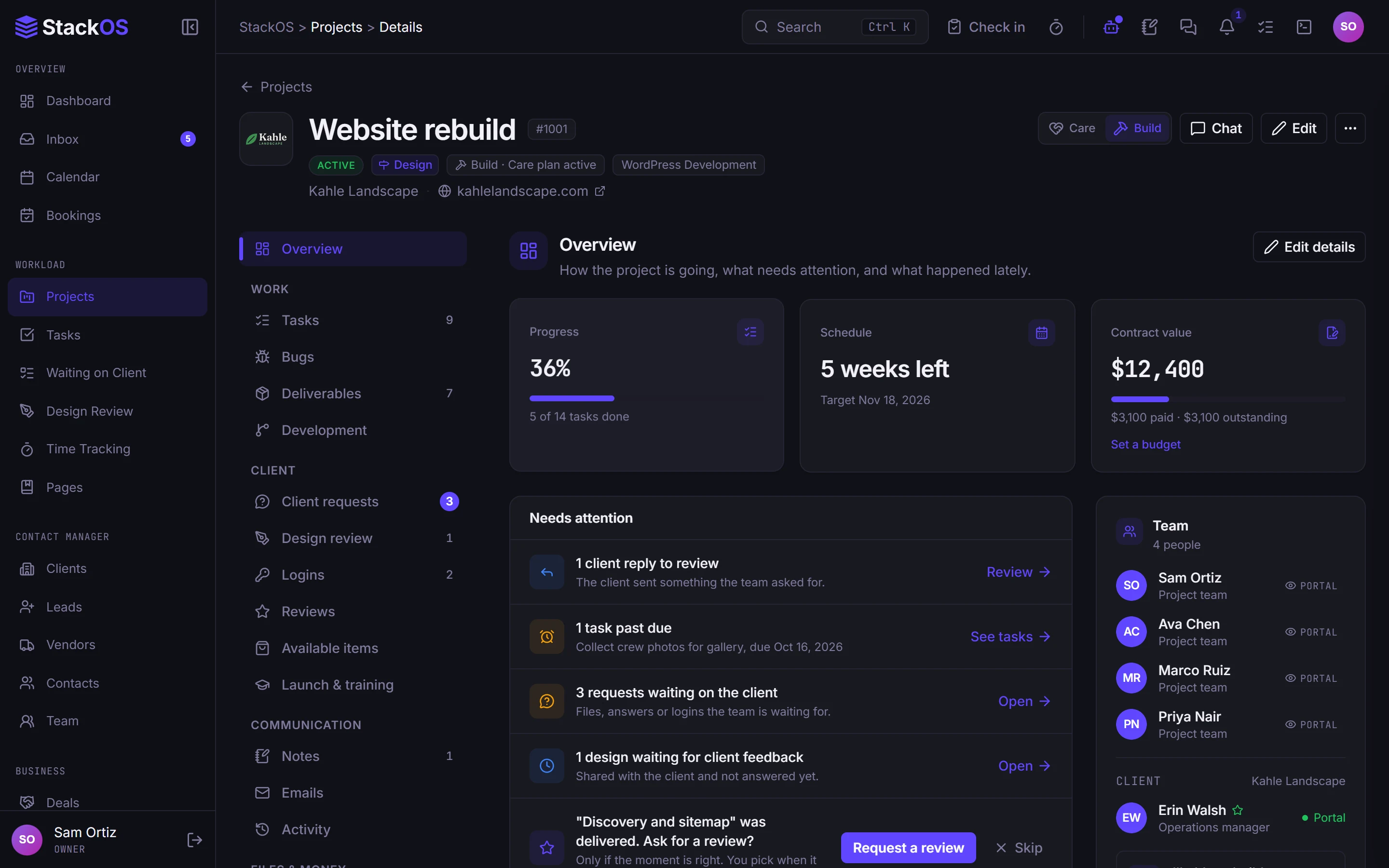
Projects and tasks with real structure
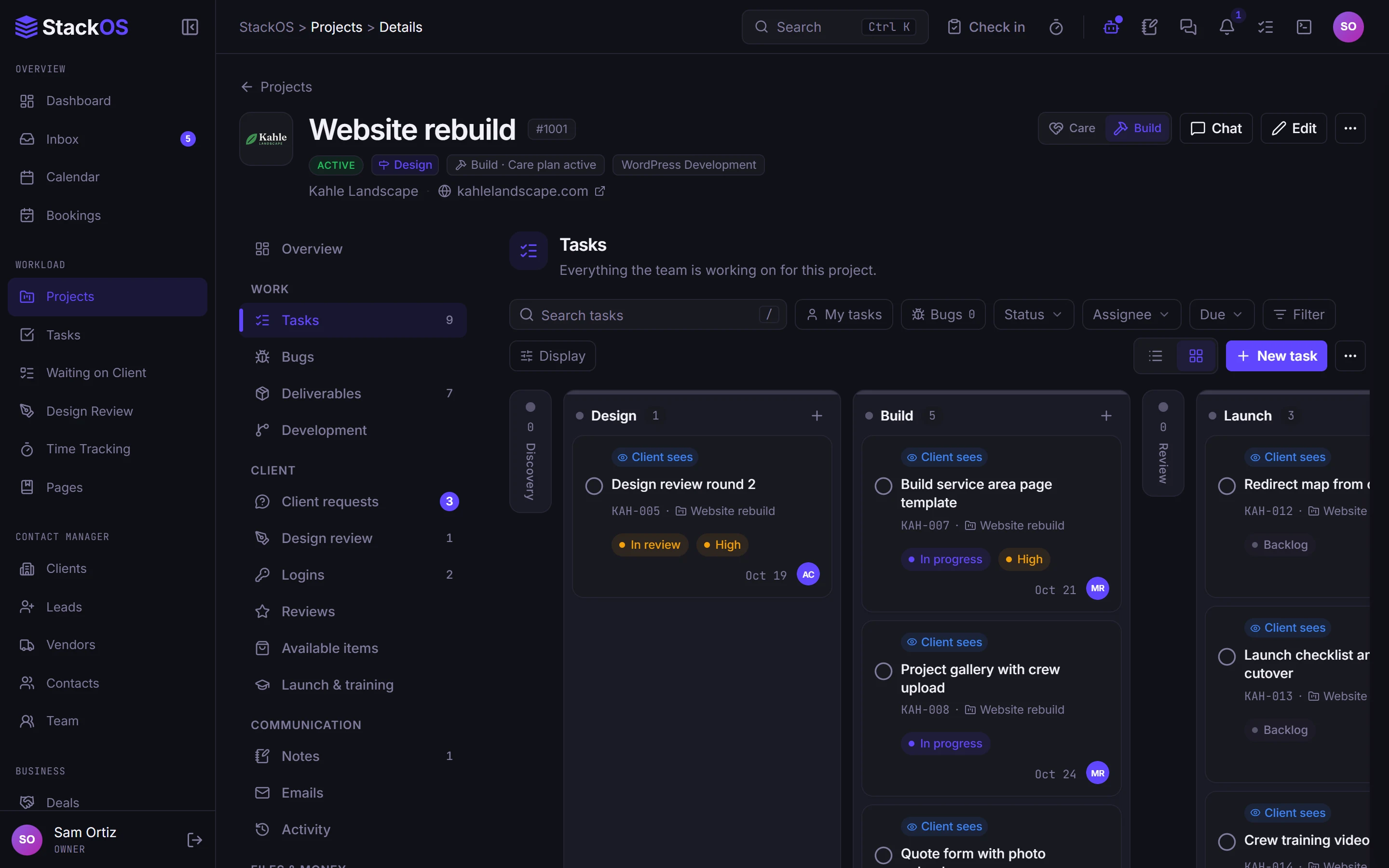
Start from a template with phases and deliverables, then run tasks on a board or a table with checklists, comments, stages, bulk edits, and due alerts. Switch a project from Build to Care when the site launches.
- Projects
- Tasks
02Time tracking
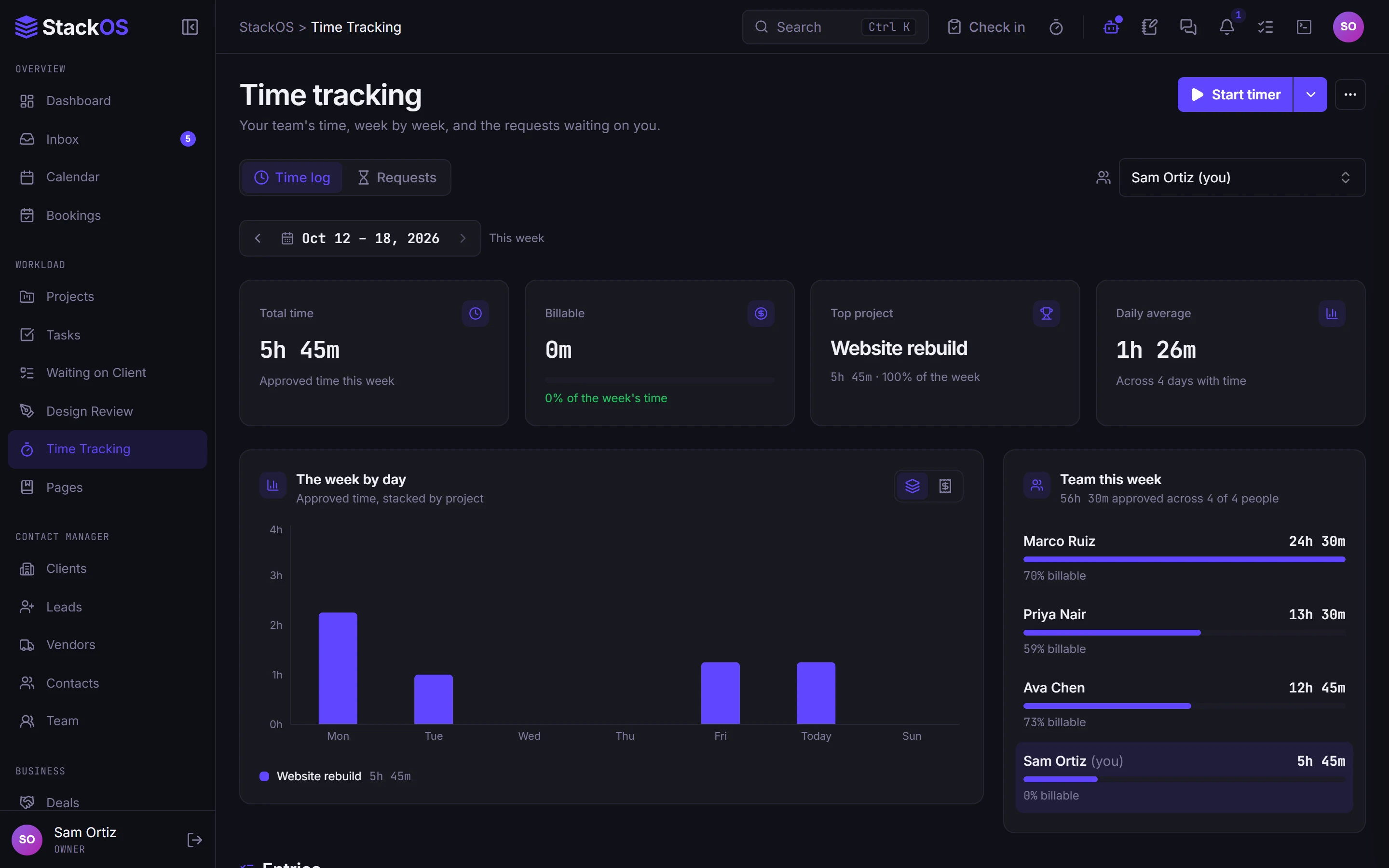
Time tracking that knows the task
Start a timer or add an entry, split time across tasks, and mark it billable. Suggestions match a time entry to the right task for you.
- Time tracking
03Client requests
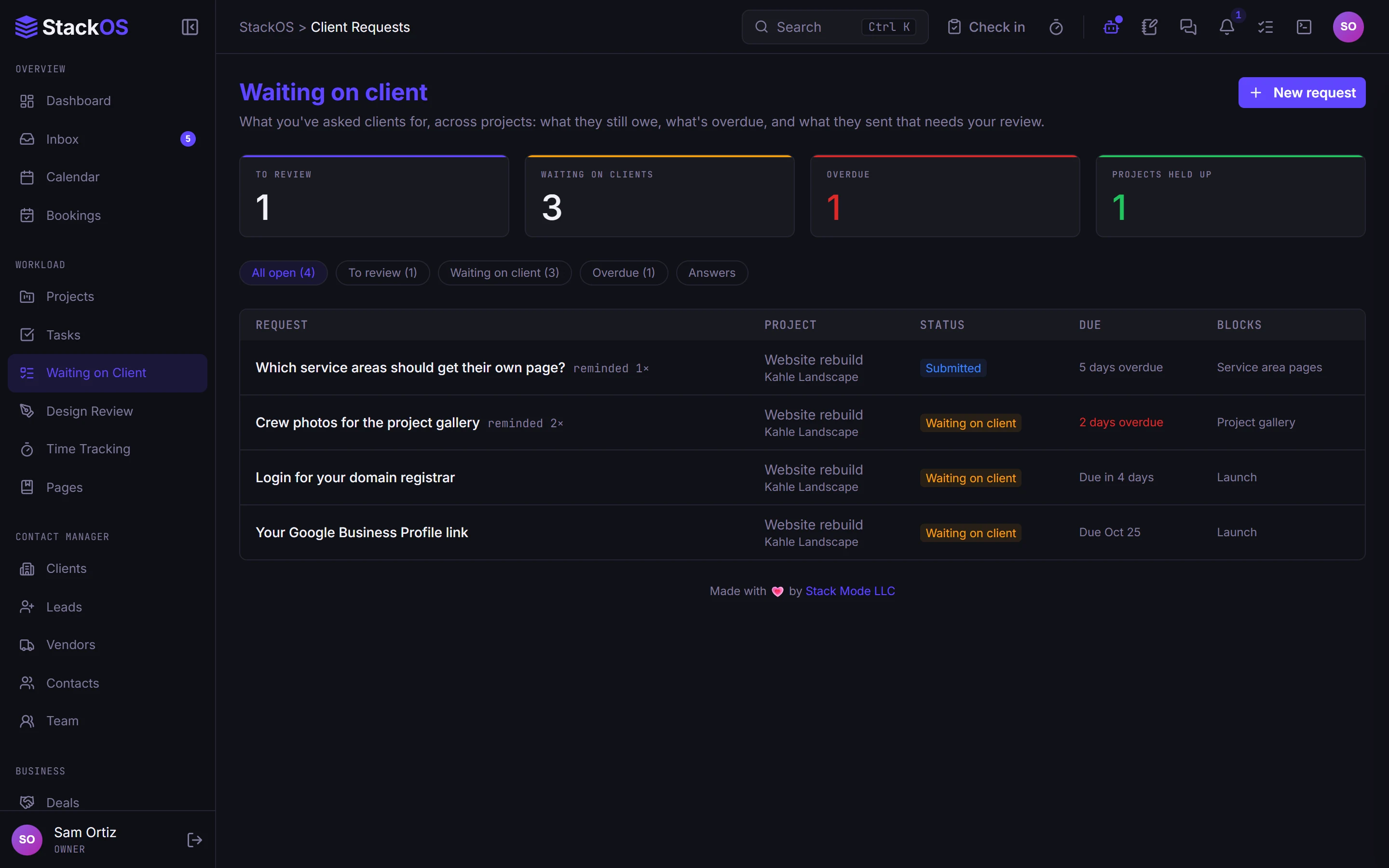
Ask clients for what you need, with reminders
Request content, files, and decisions with choice and slider questions. Reminders go out on their own, and answers become tasks or deals.
- Client requests
04Design review
Design review, page by page
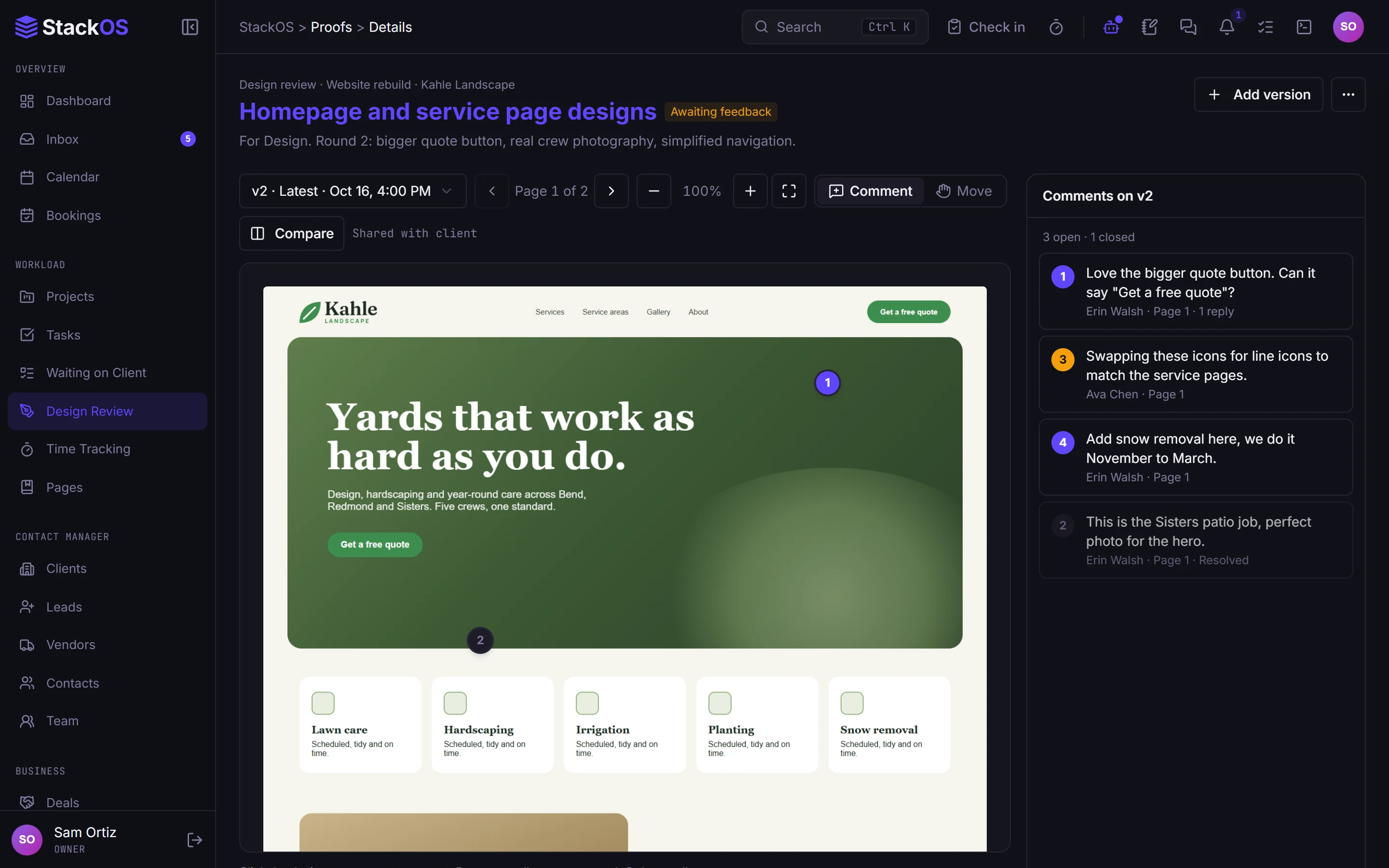
Capture a design or a whole website. Clients pin comments to the page at desktop and phone width, sign off each page, and every round is on the record.
- Design review
05Record work
Updates that write themselves
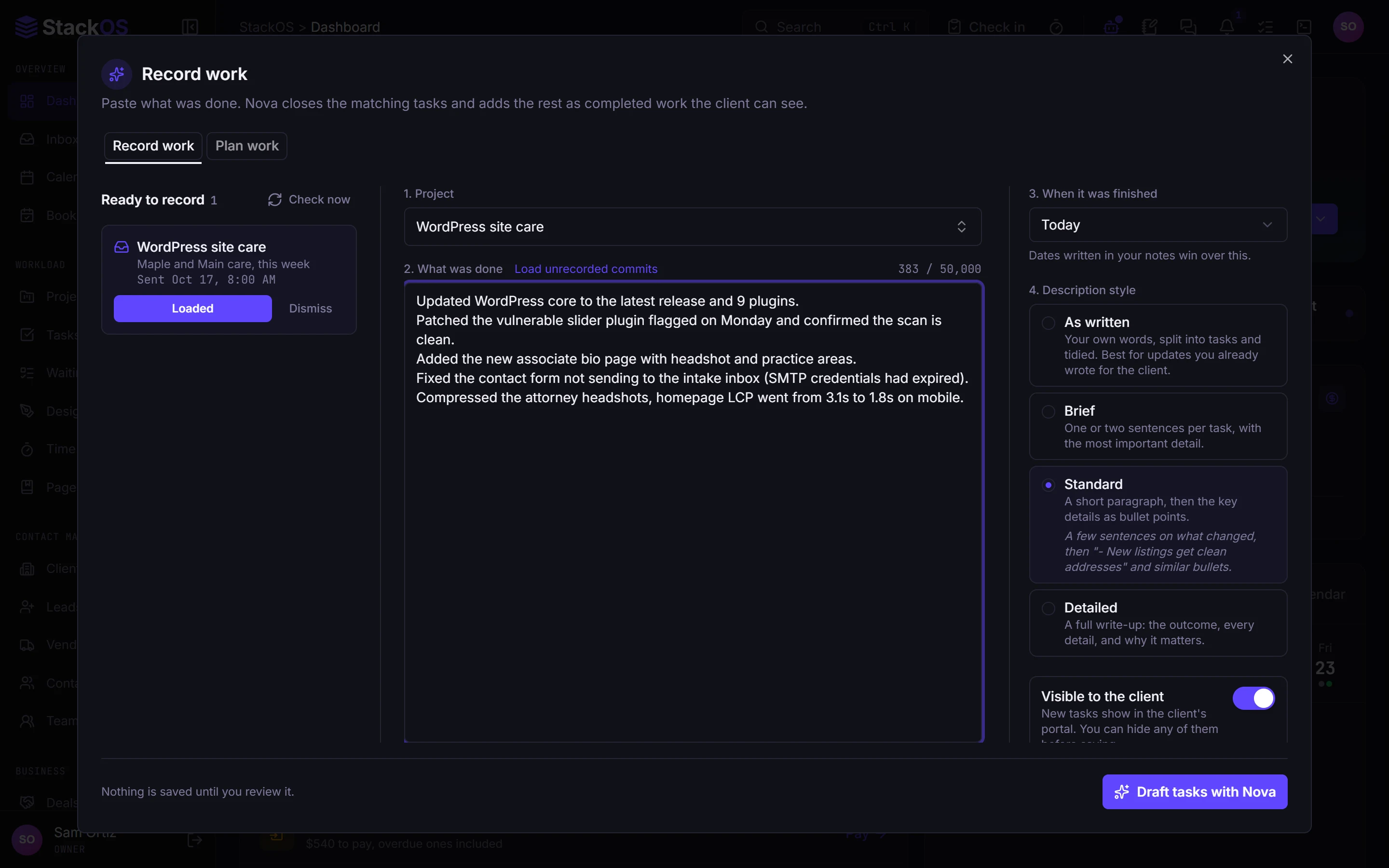
Paste what you did and Record work turns it into detailed completed tasks and a client update email. Post a short video update to the client's project page when there is something to show.
- Record work
- Video updates
- Documents
What's included
Everything in Projects.
Included on every plan, with nothing to add on.
Projects
Templates, phases, deliverables, and client-visible progress for every build and care plan.
Tasks
Board and table views, checklists, comments, stages, and due alerts.
Time tracking
Timers and entries across tasks, with billable settings, so you know where the hours went.
Client requests
Ask for content, files, and decisions, with reminders you do not have to write.
Design review
Clients pin feedback to the page, review page by page, and approve on the record.
Record work
Paste what you did; get detailed completed tasks and a client update email draft.
Video updates
A quick progress video right on the client's project page, emailed when you post it.
Documents
Files organized by client and project, with versions, share links, and folder passwords.
Works with the rest of StackOS
The project knows the proposal and the invoice.
Projects start from the signed proposal, show progress in the client portal, and feed time and milestones into billing.
A fair question
“Can it handle resource planning for a big team?”
Not today. StackOS is built for web studios up to about 25 people. If capacity planning across a large team is central to how you run, a dedicated agency tool will serve you better right now.
Frequently asked questions
Can clients see their project?
Do you have project templates?
Can I track billable time?
Run your whole web studio in one place.
Start with one client. See the difference in a week.
25 web studios. Free during the beta.