
For WordPress studios
WordPress sitesRun a WordPress studio? StackOS is built for you too.
Connect WordPress sites with the StackOS connector plugin to inventory plugins, flag known vulnerabilities, and run updates from one place. Track every premium license you own and when it renews.
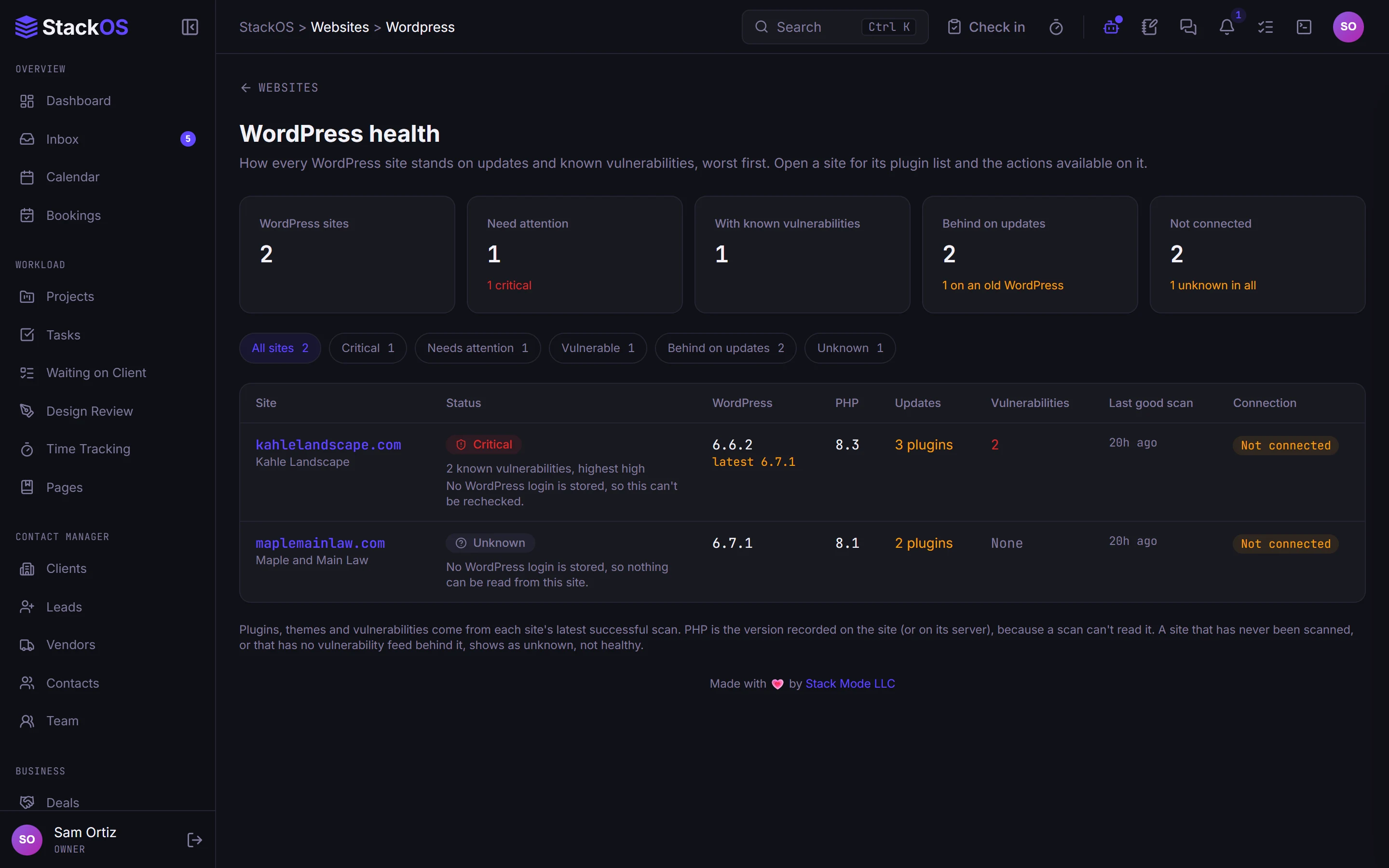
The problem
A WordPress dashboard, a license spreadsheet, and a billing tool.
You pay per site for a management dashboard that knows nothing about the client, keep license keys in a spreadsheet, and bill the care plan somewhere else.
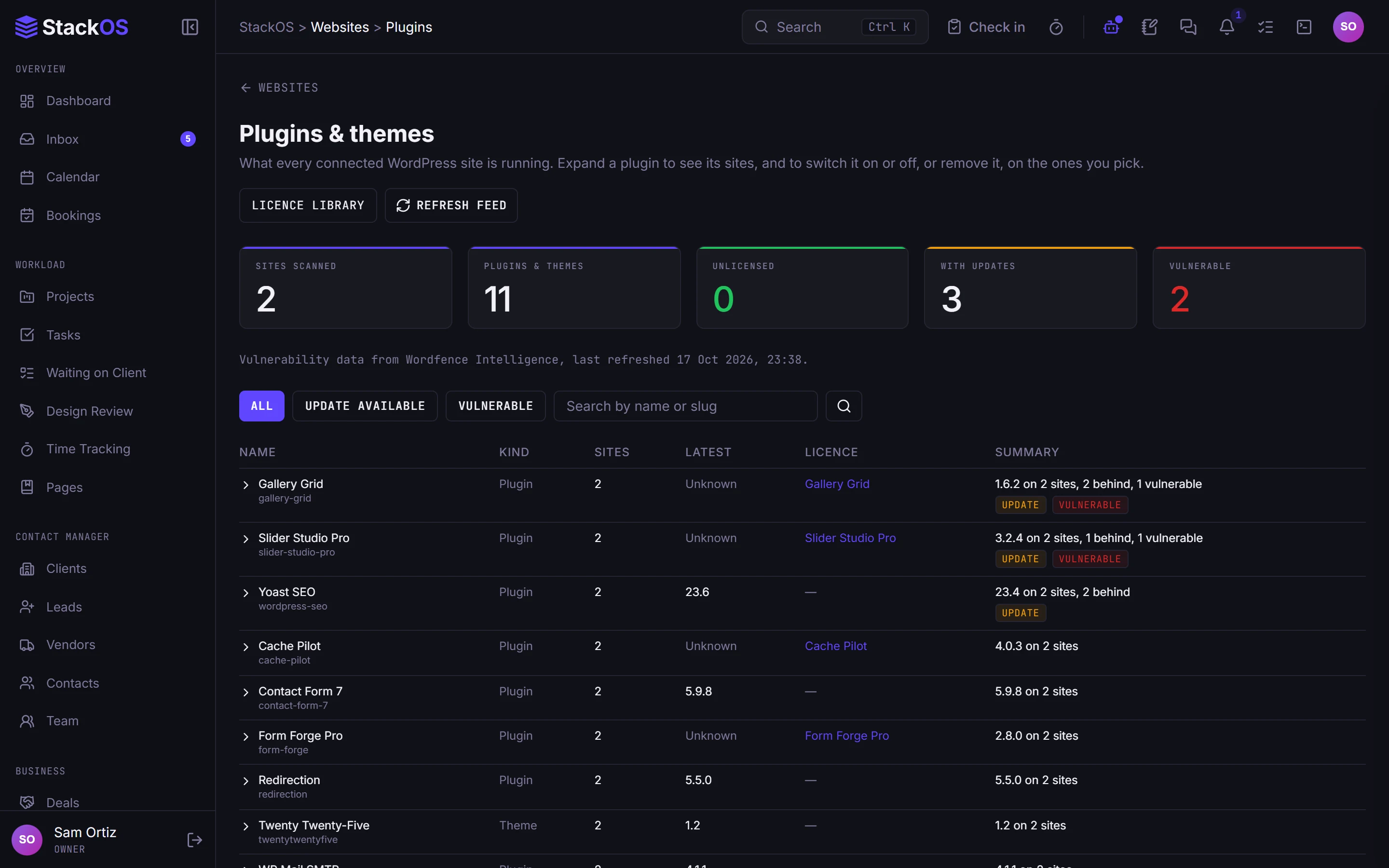
01WordPress management
Plugins and vulnerabilities across every site
See every plugin and version across your WordPress sites, get known vulnerabilities flagged, and run plugin updates from one screen.
- WordPress management
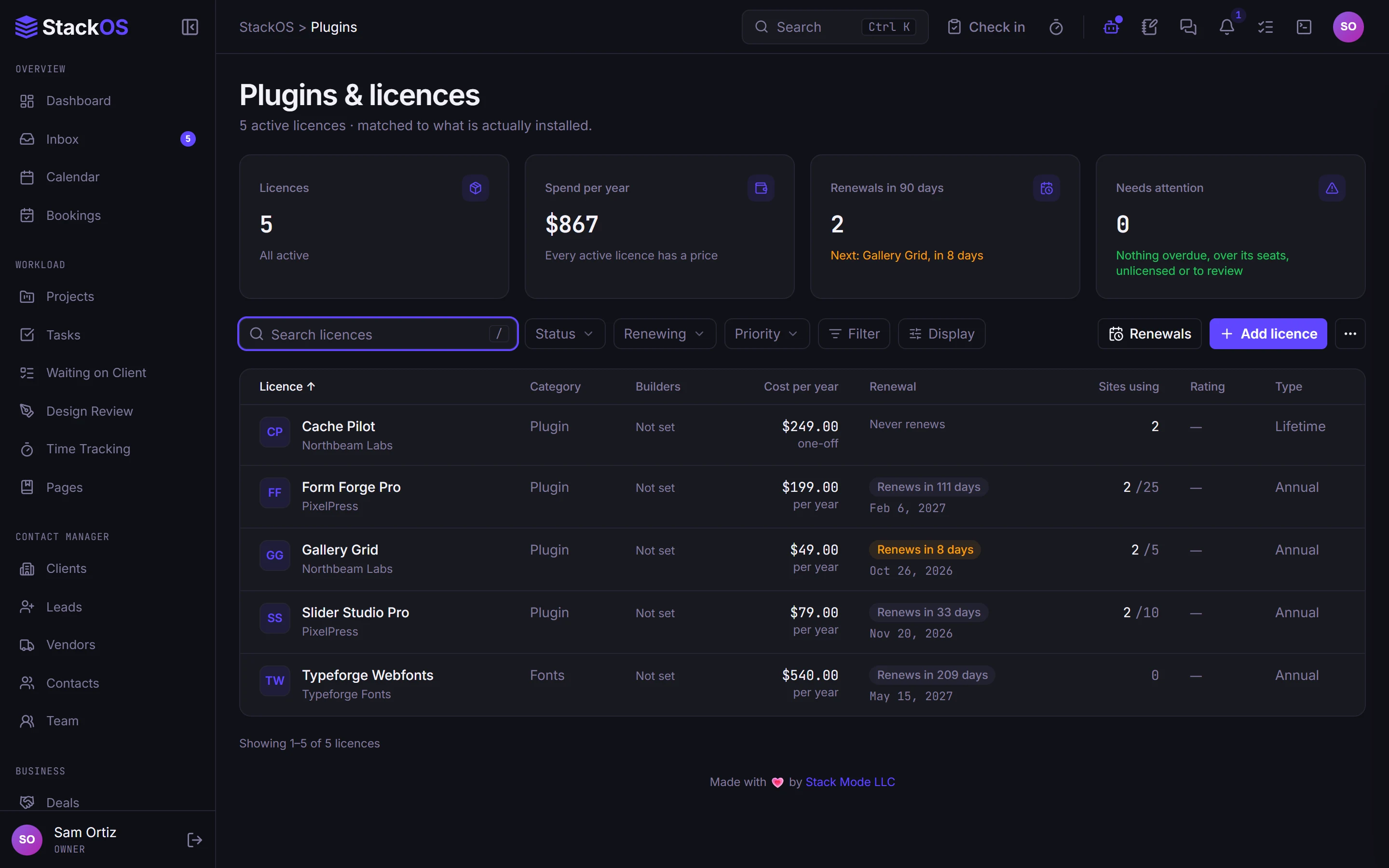
02Plugins and licenses
A library for premium licenses
Keep the agency's premium plugin licenses and keys in one library, with renewal dates and payment matching, so nothing lapses by surprise.
- Plugins and licenses
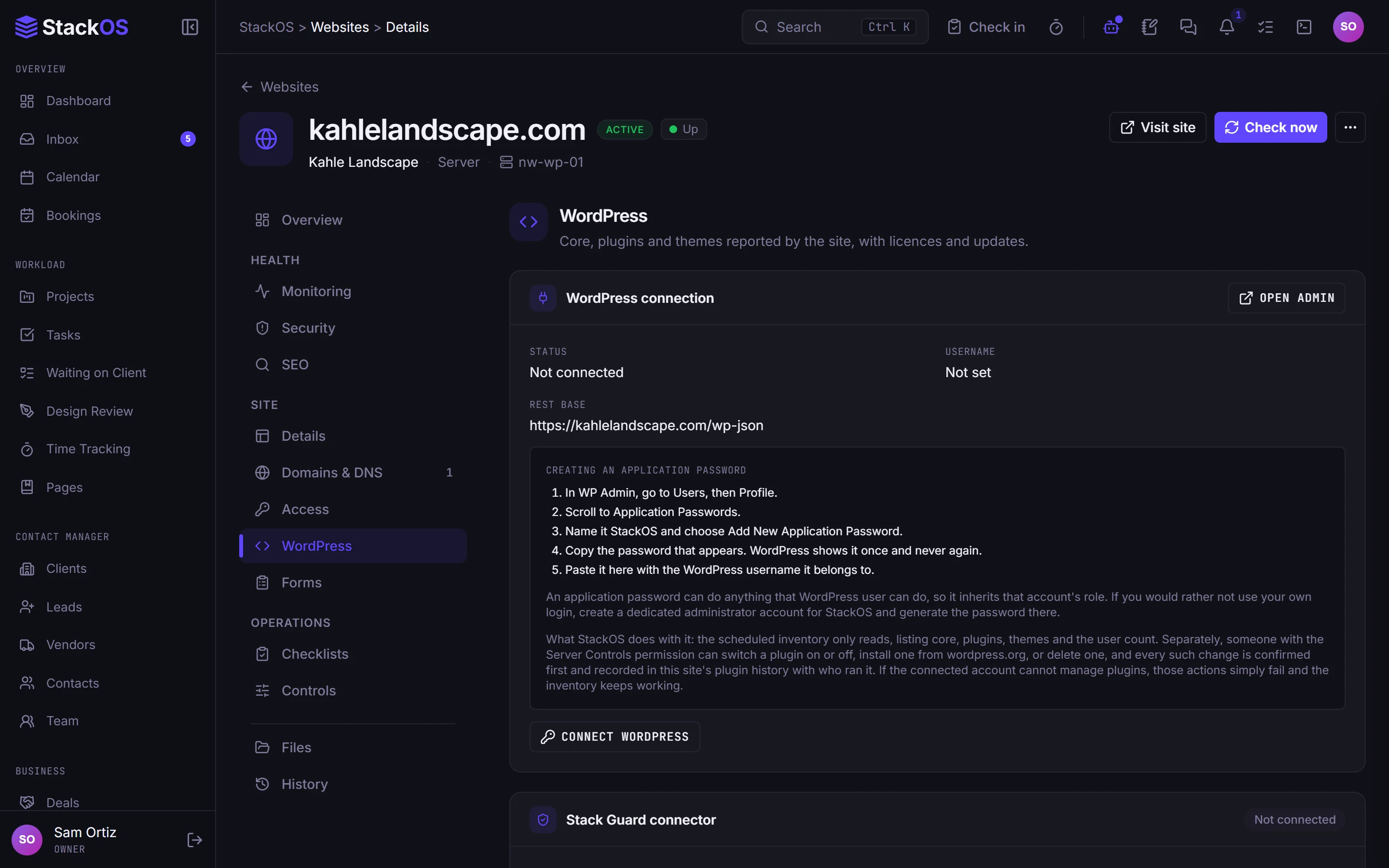
03Monitoring
Monitoring and reports, included
Every WordPress site also gets uptime, SSL, domain, DNS, malware, and speed monitoring, analytics, and the monthly client report.
- Monitoring
- Monthly reports
What's included
Everything in WordPress.
Included on every plan, with nothing to add on.
WordPress management
Plugin inventory, known vulnerability flags, and updates across every WordPress site.
Plugins and licenses
Know which premium licenses you own, where they are used, and when they renew.
Works with the rest of StackOS
Plugin updates are part of the care plan.
The site, the client, the care plan invoice, and the monthly report live together, so the work you do in WordPress is the work the client sees.
A fair question
“We already use a WordPress management tool.”
Most of those only understand WordPress and charge per site. StackOS includes 50 sites in every plan and ties the updates to the client, the care plan, and the report. Keep your backup tool if you love it.
Frequently asked questions
How do I connect a WordPress site?
Does StackOS do WordPress backups?
Is this only for WordPress studios?
Run your whole web studio in one place.
Start with one client. See the difference in a week.
25 web studios. Free during the beta.